Category Archives: laboratory management

When Does a Laboratory Need a LIMS? 7 Signs You’ve Outgrown Spreadsheets

when does a laboratory needs LIMS

When does a laboratory need a LIMS? It’s one of the most common questions laboratory managers ask as their operations grow. Spreadsheets are where everything begins. A few samples become a few hundred. A simple tracking sheet becomes several workbooks. Then more tabs are added, formulas become more complex, and suddenly the entire laboratory is relying on a system that was never designed to manage laboratory operations.

The spreadsheet that solved yesterday’s problem could be creating tomorrow’s bottleneck.

At first, spreadsheets feel flexible and familiar. But as workloads grow, compliance requirements increase, and teams expand, they can quietly become one of the biggest barriers to efficiency.

So how do you know when your laboratory has outgrown spreadsheets?

Here are seven common signs:

1. Your Team Is Spending More Time Managing Data Than Performing Science

Scientists, technicians, and quality teams should be focused on testing, analysis, and decision-making.

Instead, many laboratories find themselves manually entering results, updating multiple files, copying data between systems, and checking formulas.

The result? Valuable time is spent maintaining records rather than generating insights.

For example, entering 100 sample results may only take a few minutes. But repeat that process multiple times per day, across multiple analysts, and those minutes quickly become hours every week.

A LIMS automates much of this administration, allowing teams to focus on higher-value work.

2. Sample Tracking Is Becoming Difficult

One of the earliest warning signs is losing visibility of sample status.

Questions such as:

  • Has this sample been tested?
  • Who approved the result?
  • Which version of the report is correct?
  • Where is the sample now?

often become more frequent as volumes increase.

A laboratory processing 20 samples per day may manage comfortably using spreadsheets. A laboratory processing 200 samples per day often struggles to maintain visibility without a centralised system.

A LIMS provides real-time tracking from sample receipt through to reporting.

3. Audit Preparation Feels Stressful

Audits should not require days of searching through folders, emails, and spreadsheets. If your team spends significant time gathering evidence, proving traceability, or reconstructing records, your current process may be creating unnecessary risk.

Modern laboratories increasingly need:

  • Complete audit trails
  • User accountability
  • Electronic approvals
  • Controlled data access

These requirements are difficult to manage consistently using spreadsheets alone.

4. Errors Are Becoming More Common

Spreadsheets are powerful tools, but they are also highly dependent on human input.

A single accidental formula change, duplicate entry, or copy-paste mistake can impact reporting, investigations, and compliance.

As laboratory complexity grows, the likelihood and cost of these errors grows with it.

Consider a laboratory generating hundreds of reports per month. Even a small error rate can lead to significant rework, delayed reporting, or customer dissatisfaction.

As laboratories grow, reducing human error becomes increasingly important.

5. Different Teams Are Working in Different Systems

Many laboratories find themselves storing information in several locations:

  • Sample tracking in spreadsheets
  • Results in shared folders
  • Quality records in separate systems
  • Instrument data stored independently

For example, generating a single client report may require information from three or four different sources. This creates data silos.The more disconnected the data, the harder it becomes to maintain efficiency and confidence in decision-making.

A LIMS creates a single source of truth, bringing data, workflows, and reporting together in one platform.

6. Growth Is Creating Operational Pressure

Growth is often the point where spreadsheets begin to struggle.

Perhaps your laboratory has:

  • Added new testing methods
  • Expanded into multiple locations
  • Increased sample volumes
  • Hired additional analysts
  • Won larger customer contracts

What worked for a small laboratory rarely scales efficiently.

If every increase in workload requires additional manual administration, your systems may be limiting future growth.

A modern LIMS helps laboratories scale without increasing complexity at the same rate. Scalable laboratories need scalable systems.

7. Reporting Takes Longer Than It Should

Laboratory data is valuable only when it can be accessed, reviewed, and shared efficiently.

If teams are spending hours compiling reports, validating data, and manually creating customer deliverables, reporting may have become a bottleneck.

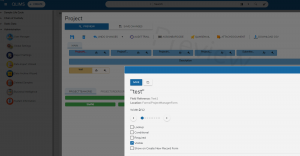
A modern laboratory informatics platform can help streamline reporting by keeping data connected from sample receipt through to final approval. You can simply click on the “Generate a CoA” in a modern LIMS and automate your report process. 

A Simple Rule of Thumb 

There is no perfect time to implement a LIMS. However, laboratories should begin evaluating their options if they:

  • Conduct more than 500 tests per month
  • Have multiple staff entering or reviewing results
  • Need stronger compliance and traceability
  • Struggle to track samples efficiently
  • Spend significant time preparing reports or audits
  • Plan to grow over the next few years

The best time to implement a LIMS is often before operational challenges become business problems.

Ready to See What a Modern Laboratory Platform Looks Like?

QLIMS helps laboratories centralise sample management, automate workflows, strengthen compliance, and reduce manual administration within a configurable cloud-based platform.

Whether you’re managing hundreds of samples or hundreds of thousands, QLIMS is designed to grow with your laboratory.

Book a personalised QLIMS demonstration and discover how modern laboratories are replacing spreadsheets with connected, scalable laboratory informatics.

How to Justify a LIMS Investment to Your Management Team

How to Justify a LIMS Investment to Your Management Team

One of the most common challenges we hear as a Laboratory Information Management System (LIMS) provider is how to justify a LIMS investment to the management team at the company. We often speak with laboratory managers, technicians, and Quality Assurance professionals who clearly see how a LIMS can boost productivity, improve efficiency and reduce errors.

But when it comes to convincing the decision-makers upstairs, both the lab team and LIMS provider frequently hit a wall. The proposal stalls and the next steps don’t happen.

To help lab champions break through this barrier, we’ve created this comprehensive guide to building a strong business case for LIMS investment, the one that speaks the language of management and helps secure internal buy-in.


What Management Really Wants to Know

When you’re talking to your management team, it’s important to remember they aren’t just interested in how cool or modern a LIMS is. What matters most to them are clear business benefits, especially those that impact the bottom line.

Here are the key areas to focus on when building your case:

      1. Return on Investment (ROI): Show Them the Numbers

We believe that this is the most important factor to keep it mind because, at the end of the day, managers want to know how this investment will pay off. So you can highlight how a LIMS saves time by automating manual tasks, reducing paperwork and minimising entry errors. 

For example, saving 2-3 hours a day on manual data entry is like adding a new team member without the salary cost or reducing errors can prevent costly re-tests and regulatory penalties. 

If you can use concrete numbers, this would be more effective and we’ve prepared an Excel sheet to calculate your Return on Investment (ROI) with a LIMS according to your sample volume, click here to download it and use it for your management team. 


      2. Time Savings and Productivity

Show how your lab can process samples faster and more accurately with a LIMS. Quicker turnaround times mean faster results for customers or stakeholders, which boosts the lab’s reputation and may increase revenue.

For instance, Baiada poultry told us that they can process anywhere from 500 samples a week and that’s another half full time employee that they can reallocate to more important jobs around the lab. Comvita said they save 20% time for their lab technicians. 


     3. Error Reduction and Quality Improvements

Manual processes are prone to mistakes. LIMS enforces data integrity, which means fewer errors, better compliance, and more reliable results. This not only saves time but also protects the lab from costly audit failures or regulatory fines.


     4. Audit-Readiness and Compliance

A modern LIMS provides a clear audit trail by recording every step, so you always know who did what and when. It also helps labs stay compliant with national and local standards, making regulatory requirements easier to manage.


How to Build Your Business Case

To move beyond just “we need this” and present a strong, management friendly proposal:

  • Gather Data: Track current manual workloads, error rates and audit preparation time to show the pain points.
  • Estimate Savings: Translate those pain points into hours saved, costs avoided and efficiency gains. You can also use our ROI Calculator to estimate your savings, click here to calculate it.
  • Highlight Strategic Value: Explain how LIMS supports lab growth, compliance and digital transformation goals. You can get help from the LIMS provider for this step.
  • Include Real Stories: Share brief quotes or case studies from other labs that successfully adopted a LIMS. Click here to read our case studies, so you can show real cases (Baiada, Comvita and Garvan Institute). 

Convincing your management team to invest in a LIMS doesn’t have to be a battle. Focusing on ROI, efficiency, risk reduction and growth will help you. When management understands the value clearly, the path to approval becomes much smoother, unlocking the tools your lab needs to succeed.

You can take action now and reach out to us for an ROI calculator or booking a QLIMS demo to see the benefits firsthand! 


Why Newborn Screening Labs Need a Modern LIMS

Why Newborn Screening Labs Need a Modern LIMS

It starts with a tiny drop of blood. A newborn baby, just hours old, gets a quick heel prick and even a small moment can mean the difference between a healthy life and a lifelong condition. Behind that moment is a lab, working against the clock to process, analyse and report results within days. But what if the lab is still relying on spreadsheets, manual entries or outdated systems? In this blog, we’re diving into the challenges newborn screening labs are facing and why newborn screening labs need a modern LIMS.

Challenges in Newborn Screening

Newborn screening is one of the most time-sensitive and high-volume programs in public health. According to the Australian Government Department of Health and Age Care, 300,000 newborn babies are screened every year and around 1 in every 1000 has a condition that would otherwise have gone undetected. Also according to the Centers for Disease Control and Prevention (CDC), early detection through screening helps identify over 12,000 babies each year in the U.S. with rare but serious conditions that benefit from early treatment or management.

To meet national standards, many labs are required to return results within 24 to 72 hours. Managing thousands of samples each week, often across multiple tests per sample, puts pressure on systems and staff.

Also many newborn screening labs still face common operational challenges like:

  • Manual data entry and transcription errors
  • Difficulty tracking samples across stages
  • Delayed reporting or missed time windows
  • Lack of integration with hospital systems or follow-up databases
  • Inadequate audit trails for regulatory compliance

These challenges aren’t just operational, they’re clinical and reputational for newborn screening labs. When a delayed result leads to a missed diagnosis, the cost isn’t just time or money. It’s a child’s health.

This is where a modern LIMS becomes essential, not optional. Okay it’s necessary, but why? 

Why Newborn Screening Labs Need a Modern LIMS

Most labs rely on Standard Operating Procedures (SOPs), but not all SOPs are easy to follow or access. If every analyst has their own way of doing the same test or their own naming style for sample labels, it can lead to rework and mistakes.

Create a visual step by step for your most common procedures. Keep it on the bench. Standardised tools, layouts and naming conventions save time and reduce guesswork.

Here are the some of the key ways of how a modern LIMS can make a real difference in a newborn screening lab: 

      1. Sample Tracking from Start to Finish 

From the moment a sample arrives in the lab, a LIMS automatically assigns a unique ID and tracks its journey across instruments, and stages. This ensures nothing falls through the cracks, especially critical when multiple tests are performed on the same dried blood spot. If you have a modern LIMS, you can even generate customised reports for your samples, so it gives you a clear overview of each sample from arrival to final report. 

      2. Automated Workflows and Alerts 

With thousands of samples and strict time windows, newborn screening labs need automation for sure. A LIMS can be configured to trigger alerts for overdue samples or abnormal results. This ensures timely review and reporting.

     3. Instrument Integration for Faster Turnaround

Modern LIMS platforms integrate seamlessly with laboratory instruments, reducing manual data entry and the risk of transcription errors. This accelerates the workflow, allowing results to be available in hours instead of days. Additionally, integration with health information systems using standards like HL7 enables seamless data exchange between the LIMS and hospital or public health systems. 

     4. Built-In Compliance and Audit Trails

A modern LIMS provides a clear audit trail by recording every step, so you always know who did what and when. It also helps labs stay compliant with national and local standards, making regulatory requirements easier to manage.

     5. Scalability for Growing Demands

As the population grows and screening panels expand, labs need systems that can scale. Whether it’s adding more instruments, new conditions to test or additional sites, the LIMS you choose must be flexible enough to grow with your needs. 

How QLIMS Supports Real-World Newborn Screening Workflows

QLIMS supports fully configurable workflows tailored to the specific needs of newborn screening programs. Labs can set up condition specific methods for disorders like congenital hypothyroidism, cystic fibrosis, galactosemia and congenital adrenal hyperplasia. 

Users can define multiple result fields per test, such as age of collection, weight, and biomarker concentrations. With QLIMS’ built in calculation engine, rules can be applied to automatically interpret results. For example, if a baby’s weight and biomarker concentration fall within or outside of defined ranges, the system instantly classifies the result as normal, abnormal or critical. Here is a screenshot from QLIMS showing the result automatically as ‘Normal’ based on the calculation rules we set up:

Result classified as Normal

Each result parameter can also have its own reference range. When a result falls outside this range, QLIMS automatically flags it with a red alert, making it easy for staff to identify cases that need follow up. In the below image, QLIMS visually flags results in red when they fall outside the defined reference ranges:

Results in red if it's outside of the reference ranges

And because QLIMS is a low code platform, all of this configuration can be done directly through the user interface. As your screening program evolves, QLIMS evolves with you. Whether you’re adding new conditions, integrating with additional instruments or adjusting logic rules, you can stay in full control.

If you’re ready to take your newborn screening operations to the next level, get in touch to see how QLIMS can help your lab deliver results that truly make a difference

Quick Tips for Lab Productivity

Quick Tips for Lab Productivity

You start your day in the lab by entering samples manually into a spreadsheet. You double check a few numbers, then walk over to your colleague to clarify a handwritten note. There are many samples waiting, and the backlog from yesterday still lingers. The instruments are fine, but the workflow feels… slow. Disconnected. And at the end of the day, when it’s time to report results, the pressure peaks.

This is a story many labs know too well.

Whether you’re part of a research team, a diagnostics lab, or a quality control group in industry, your goal is the same: get accurate results, quickly and efficiently. But small friction points in everyday tasks can quietly eat up hours and it may lead to delays, frustration, and missed opportunities.

The good news? You don’t always need a full overhaul. Sometimes, small changes create the biggest shift. Here are some quick tips for lab productivity: 

1. Let’s start with your workflows 

A foundational Lean principle is identifying and removing waste in workflows. Common lab inefficiencies include waiting for equipment, redundant sample handling, and unclear task ownership (NATA). By mapping current processes and pinpointing delays, labs can streamline operations. For instance, a pharmaceutical QC lab implementing Lean strategies achieved a 22% reduction in conversion costs and halved testing turnaround times, all without increasing headcount or equipment (Pharmaceutical Online).

2. Then, make the predictable parts even easier

Most labs rely on Standard Operating Procedures (SOPs), but not all SOPs are easy to follow or access. If every analyst has their own way of doing the same test or their own naming style for sample labels, it can lead to rework and mistakes.

Create a visual step by step for your most common procedures. Keep it on the bench. Standardised tools, layouts and naming conventions save time and reduce guesswork.

3. Now take a look at what your data is telling you

A diagnostics lab once set up a weekly meeting to review three simple metrics: number of samples received, average lead time, and incidents of rework. Within weeks, they were spotting patterns they hadn’t noticed before, like Mondays always being slower due to sample overload or one step consistently causing errors.

For example, QLIMS includes visual dashboards powered by Kibana that display turnaround times in real time. No more manual tracking with spreadsheets or whiteboards, just clear, live insights to help your team stay focused and responsive. 

OnQ Software - Quick Tips for Lab Productivity

4. Don’t forget about balancing the load

When some teams are overwhelmed while others are underutilised, productivity suffers. Smoothing out sample inflow and creating balanced schedules helps reduce stress and increases throughput. This concept, originally used in manufacturing, is now successfully applied in labs through workload leveling and rhythm-based planning.

Introduce a ‘sample intake calendar’ to visualise and balance incoming work. This allows lab managers to allocate resources more efficiently. 

Alternatively, if you’re using QLIMS, this becomes even easier. Right from the home page, you can view a live widget showing who is working on what, current worklists and another widget for outstanding samples. With this visibility, managers can instantly spot overloads or gaps and reassign tasks accordingly. 

Worklist manager

5. Finally, the digital piece…

Many labs are still handling paper, disconnected spreadsheets, or shared folders. It works for a while. But as the volume grows, so does the risk: lost data, delayed reporting, repeated tasks. The point of digital tools isn’t just convenience, it’s clarity.

This is where a Laboratory Information Management System (LIMS) can quietly transform the day to day. A good LIMS replaces sticky notes, links results to samples automatically, tracks chain of custody, and keeps everything in one place, from sample management to reporting. 

It doesn’t have to be overwhelming. Start small. Even just digitising sample intake and chain of custody can reclaim hours each week.

QLIMS offers flexible packages to match where your lab is today and where it’s headed. The Analyser package is ideal for those who want to run small with the essential functionality needed to digitise their sample management and basic workflows. The Professional package, our most popular, includes instrument integration, configurable screens, inventory management and expanded functionality to support growing labs. Lastly for those who need more advanced capabilities, the Enterprise package provides custom configurations, complex workflow automation and deeper system integration tailored to unique operational needs. 


Book a time with us to discuss your needs and requirements or see the QLIMS functionalities first hand. We’re here to help you increase productivity, streamline your processes and take your lab operations to the next level.

Why Migrate to the Cloud Now? Unlock the Benefits of QLIMS on AWS

OnQ Software - Quick Tips for Lab Productivity

Many organisations still struggle with spreadsheets, Excel documents, and manual processes, or they find their on-premise solution too costly and difficult to maintain. If you’re considering migrating to AWS, keep reading—because in this blog post, we’re diving into Why Migrate to the Cloud Now? and exploring the benefits of QLIMS (Laboratory Information Management Systems) on AWS.

Why Migrate to the Cloud Now?

By migrating some or all of their digital assets to the cloud, businesses can achieve transformational results. They can move and innovate faster, modernise aging infrastructure, scale globally, get better insights from their data and restructure organisational models to create better customer experiences.

Over its 15+ years of experience helping thousands of organisations successfully migrate to the cloud, Amazon Web Services (AWS) has observed eight business drivers that emerge as the most prevalent motivators for migration.

8 Business Drivers That Motive Cloud Migrations

1. Cost reduction

Cost reduction is a major migration motivator, as retiring legacy infrastructure in favor of more efficient AWS solutions is virtually certain to bring costs down.

2. Agility & staff productivity

Flexible AWS architecture improves business agility, while automation allows staff to increase the pace of innovation and dedicate more time to important tasks.

3. Improved security & operational resilience

Migrating and modernising with AWS hardens security to help protect against cyber attacks, define and manage access policies, and prevent unauthorised disclosure and modification using encryption and policy-driven controls. AWS also helps ensure resiliency, providing high availability with virtually unlimited failover capacity.

4. Software end-of-life

Many organisations migrate to AWS due to the end-of-life (EOL) of their hardware/software licensing and/or support. These companies see the cloud as an opportunity to improve depreciating capabilities and to end or shorten refresh cycles. This is especially compelling for organisations running Windows workloads and applications.

AWS runs nearly 2x more Windows server instances than the next largest cloud provider, according to an IDC report (1).

5. Data center consolidation

Organisations can spend less time managing data centers and more time running their businesses by migrating to AWS.

6. Digital transformation

Migrating to AWS helps businesses achieve digital transformation by boosting agility, enabling broader use of advanced technologies, and facilitating culture change.

7.  Going global quickly, mergers & acquisitions (M&A)

When customers choose to migrate to AWS, they gain access to a global network of data centres – enabling rapid, strategic scalability. AWS also makes it easier to integrate digital assets, shortening and streamlining M&A procedures.

8. New technologies (AI/ML & IoT)

Migrating to AWS is a more economical and practical solution for meeting the data storage and computational requirements of emerging technologies such as artificial intelligence/machine learning (AI/ML) and Internet of Things (IoT).

AWS—the best choice for any migration motivation

No matter what motivates businesses to migrate to the cloud—one of the eight drivers described in this eBook, any combination of them, or something else entirely—AWS can help them achieve their objectives quickly and efficiently. With the best software, services, and support, AWS enables smart, strategic migrations for businesses of every shape and size.

Benefits of Migrating to AWS with QLIMS 

For laboratories, cloud migration isn’t just about moving infrastructure—it’s about unlocking new possibilities. By choosing QLIMS on AWS, laboratories gain access to a modern, scalable, and secure LIMS (Laboratory Information Management Systems) solution that enhances efficiency and future-proofs operations.

  • Seamless Scalability & Performance

QLIMS on AWS enables laboratories to scale effortlessly as data volumes grow. Whether expanding operations, handling high-throughput sequencing, or integrating new instruments, AWS’s global infrastructure ensures optimal performance without downtime.

  • Enhanced Security & Compliance

Data security is critical for laboratories handling sensitive information. QLIMS leverages AWS’s robust security framework, including encryption, access controls, e-signature, passkeys login and compliance with industry regulations, ensuring data integrity and confidentiality at every step.

  • Future-Proofing with Advanced Integrations

With QLIMS on AWS, labs can seamlessly integrate with cutting-edge technologies such as automation and IoT. This enables predictive analytics, streamlined workflows, and a connected lab environment, setting the foundation for long-term digital transformation.

Migrating to the cloud is a strategic move—but migrating with QLIMS on AWS ensures that laboratories don’t just keep up with industry changes, they stay ahead. To experience QLIMS firsthand, book a demo now!

AI Meets Labs: How AI Transformed Industries, Time For Labs

OnQ Software - Quick Tips for Lab Productivity

Artificial intelligence (AI) is gradually being implemented in almost every aspect of our lives. Across various industries, AI has driven efficiency, growth and innovation. From retail to healthcare, companies are tapping into AI’s power to unlock new opportunities and streamline operations. Now it’s time for laboratories – AI meets labs.

According to the report by Deloitte, annual potential savings from artificial intelligence (AI) for the US health care system is US$360 billion over the next five years. In manufacturing, AI powered robots have saved thousands of man hours and boosted productivity.

Besides the commercial benefits there are many advantages of AI in different aspects of our lives. Meta launched a system called ‘AI for Accessibility,‘ in collaboration with Be My Eyes, to support people with visual impairments. This system uses AI to provide real-time assistance, helping users navigate their surroundings, read text, and identify objects, making the world more accessible to everyone. Even this blog post was created with the help of an AI tool, saving me hours of work.

Why Not Labs?

Labs are often overloaded with repetitive tasks, manual data entry and inefficiencies in data management. Whether it’s tracking samples, maintaining records or analysing test results, lab teams spend a significant amount of time on administrative tasks that could be automated or streamlined. This is where AI can make a dramatic difference.

AI Meets Labs: QLIMS + AI

Imagine having an AI-powered assistant that can query your lab’s database. This could save time and boost productivity. So your valuable time can be better spent on innovation and research.

We’re so excited to bring AI into the world of laboratory information management. With our AI assistant for QLIMS, labs can query their databases with ease. t’s like having a lab assistant that never sleeps—always there to help.

AI is transforming industries across the globe, and now it’s time for labs to benefit from this technology. By integrating AI into your lab’s workflow, you’ll not only save time but also increase efficiency, accuracy and productivity. We’ll be sharing more updates soon, get ready to experience a smarter and more efficient lab!

Migrate and Modernise with AWS for Labs

OnQ Software - Quick Tips for Lab Productivity

In today’s competitive landscape, labs must adapt to dynamic conditions, streamline data management and meet the increasing demand for efficiency. Modernising with AWS empowers labs to keep up with these demands while improving data integrity, accessibility and security. In this post, we’ll explore how AWS’s Migrate and Modernise approach can transform your lab’s operations.

Understanding the two stages of digital transformation

No two digital transformations are the same. But, by helping thousands of organisations successfully transform, Amazon Web Services (AWS) has seen distinct patterns emerge. Many AWS customers have found it beneficial to break the larger digital transformation effort into two stages: application modernisation and IT modernisation.

Application modernisation leverages cloud native systems and services to drive a new iterative and agile way of harnessing data and developing applications. Labs can take advantage of cloud native systems and agile processes to manage data more effectively and enable intelligent insights. This stage helps labs iterate faster on research and analysis workflows.

IT modernisation involves transforming legacy systems, processes, workloads and infrastructure as you migrate to the cloud. Moving away from outdated systems enhances your lab’s ability to handle complex datasets, scale operations and optimise resources. This stage will be the primary focus of this blog.

Read on to discover how your organisation can realise the associated benefits on your path toward digital transformation.

The benefits of IT modernisation with AWS

When you modernise your IT with AWS, you gain better business agility and control over your applications, data and infrastructure. You’ll reduce costs in a number of ways. And you’ll gain easier access to critical data—allowing you to uncover business insights faster and take advantage of more opportunities for growth.

Discover multiple avenues for cost savings

IT modernisation drives down infrastructure costs, with the average organisation saving 31% by migrating and modernising with AWS. Further savings can be realised by reducing or eliminating costs associated with licensing, software patches, maintenance, and capacity and infrastructure upgrades.

Many labs have achieved considerable cost savings by migrating and modernising with AWS. The cloud enables you to allocate resources more flexibly, focusing on high-impact areas rather than hardware management.

Transform Your Lab’s Capabilities Through Data

Digital transformation truly begins when you go beyond what you do with your apps and differentiate yourself with data insights. The employee, customer and transactional data you’ve gathered over years or decades can help you stand out, serving as the foundation for innovation and competitive differentiation at your organisation. Labs can leverage this data more effectively, uncovering patterns, optimising workflows and enhancing innovation.

Driving modernisation through migration

Migrating lab data to AWS is an opportunity to overhaul how your lab approaches data management and workflows. This migration includes preparing your team for cloud-based skills, automating repetitive tasks and implementing DevOps practices to boost operational efficiency.

If you’re ready to modernise your lab with the trusted support of AWS and seamlessly migrate your lab data, contact us today!

Resource: AWS Marketing Central 

Why You Should Buy From AWS Marketplace

OnQ Software - Quick Tips for Lab Productivity

Businesses are constantly seeking reliable, scalable and efficient solutions to meet their needs whether they’re looking for software, infrastructure or any specialised tools. At this stage AWS Marketplace steps in and becomes a go to platform for businesses of all sizes. Why should you consider buying from AWS Marketplace? In this post, we’ll explore what AWS Marketplace is and the benefits it offers, helping you make informed decisions for your business.

What is AWS Marketplace?

AWS Marketplace is a digital platform where businesses can find, test, buy, and deploy software and services that run on AWS. The marketplace offers thousands of products across various categories such as DevOps, data analytics, security, machine learning, and more. It streamlines product evaluation, improves governance, boosts cost visibility, and minimises SaaS sprawl by offering centralised billing and management directly through AWS. It serves as a central hub for discovering software solutions from trusted vendors, with seamless integration into the AWS ecosystem.These are the solutions by category on AWS Marketplace:Whether you’re a startup looking for scalable tools or an enterprise seeking to modernise your operations, AWS Marketplace simplifies the process of finding and implementing the right software for your needs. Key features are: 

  • Pre-configured software solutions,
  • Quickly discovering SaaS products that meet your specific needs,
  • Flexible pricing options (pay-as-you-go or subscription),
  • Easy deployment with 1-click launch,
  • Software that runs directly on AWS infrastructure. 

Benefits of Using AWS Marketplace

With AWS Marketplace, you can shorten procurement times, implement the controls you need to operate with confidence, and enable your organisation to unlock innovation. You can narrow your search and find the solutions you need across popular solutions and industry categories from leading partners. 

  1. Simplified Procurement Process

AWS Marketplace streamlines the procurement process by offering a wide variety of software from trusted vendors in one place. You can easily browse, compare, and select the solutions that fit your business needs. No more dealing with multiple vendors separately – everything is centralised.2. Seamless Integration with AWS ServicesOne of the major benefits of AWS Marketplace is its seamless integration with AWS services. Products available on the marketplace are designed to work effortlessly within the AWS environment, meaning you don’t have to worry about compatibility issues. This allows you to deploy solutions quickly and efficiently without unnecessary complexities.3. Flexible Pricing OptionsAWS Marketplace offers flexible pricing models, including pay-as-you-go, annual subscriptions, and even free trials. This flexibility enables businesses to choose a payment structure that aligns with their budget and usage patterns, making it easier to control costs.4. Security and ComplianceSecurity is a priority for businesses, and AWS Marketplace ensures that products listed meet strict compliance and security standards. You can rest assured that the software you purchase will align with the security protocols required by your business or industry.5. One-Click DeploymentAWS Marketplace makes deploying software simple with its 1-click deployment feature. With just one click, you can install and run applications, reducing the time spent on setup and configuration. This quick deployment is particularly useful for businesses looking to rapidly scale operations or test new software without delays.6. Access to a Broad Range of SolutionsWith thousands of listings, AWS Marketplace offers products for every need, whether it’s data analytics, machine learning, or cybersecurity. The marketplace is continually growing, with new products and innovations added regularly, giving you access to cutting-edge solutions.7. Cost Optimisation with AWS Credits and DiscountsAWS frequently offers credits, discounts, and special promotions for Marketplace purchases. This can lead to significant cost savings, particularly for startups or businesses looking to optimise their budget while still accessing powerful tools.You can also read customer success stories by clicking here,  it’s always more trustworthy to see real customer results and how they’ve benefited from these solutions.

QLIMS is on AWS Marketplace

QLIMS is an AWS-based cloud LIMS (Laboratory Information Management Systems) platform designed to offer a competitive and affordable solution for managing laboratory workflows, automation, and reporting. It also integrates seamlessly with other third-party systems. Did you know that QLIMS is now on AWS Marketplace? This means easier access, simplified procurement and easier to manage purchases and billing —all within the trusted AWS environment.Check our QLIMS on AWS Marketplace here, you can even request a private offer.

    Enhance Lab Operations with Laboratory Business Intelligence Reporting

    OnQ Software - Quick Tips for Lab Productivity

    Understanding the flow of work within a laboratory is essential for key stakeholders such as Laboratory Managers, Directors, Quality Managers, COOs, and CFOs. They often need to know not only how the lab is performing but also the origins of the work that comes into the lab. These insights are crucial for both operational efficiency and strategic decision-making. In this blog post, we will dive into the laboratory business intelligence reporting. 
    Operational Reporting focuses on the daily performance metrics of the laboratory, such as turnaround times for testing and the volume of samples being processed. This type of reporting helps ensure that all lab processes are running smoothly and efficiently.Management Information is more strategic, providing insights into key performance indicators (KPIs) that inform high-level decisions. These are the questions that senior management often asks in preparation for board meetings or strategic planning sessions. With a couple of clicks, you can access visualised reports that support data driven decisions.  To address these needs, the QLIMS Business Intelligence suite offers a comprehensive solution. Without relying on third-party tools, QLIMS provides interactive, visually appealing dashboards directly within your LIMS, allowing you to filter and interpret data with ease. This integrated approach ensures that your LIMS remains the single source of truth for laboratory and quality control data. For example, to answer the question, “Where does my work come from?”, the QLIMS dashboard offers a clear, data-driven view of sample types, submitters, and sample statuses, as shown in the image below. This visualisation helps trace the origins of laboratory tasks, empowering you to make informed decisions and optimise lab operations.

    Ready to see how QLIMS can revolutionise your laboratory’s reporting capabilities? 

    Contact us today for a personalised demo and discover how our Business Intelligence suite can give you the insights you need to drive your lab’s success.

      Why You Should Use Laboratory Software

      OnQ Software - Quick Tips for Lab Productivity

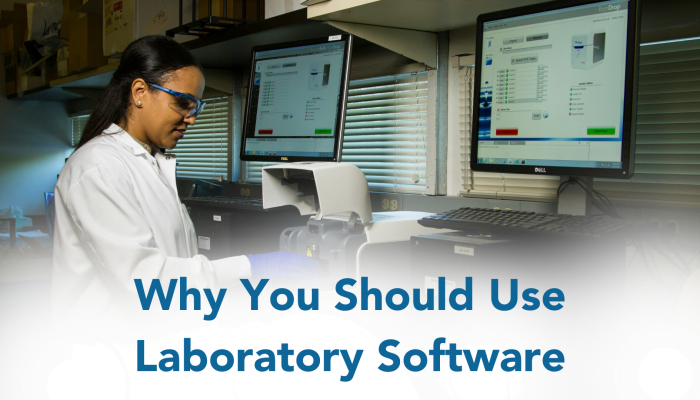
      This blog will dive into the essential reasons why you should use laboratory software, particularly Laboratory Information Management Systems (LIMS). Laboratories of all sizes are turning to digital solutions to streamline their operations, enhance efficiency, and ensure compliance with regulatory standards.

      Why You Should Use a Laboratory Software

      In today’s digital age, our lives revolve around technology. From the moment we wake up to the time we go to bed, we are surrounded by smartphones, laptops, and various applications that simplify our daily tasks. 


      Just like how we rely on apps to manage our personal lives, laboratories can benefit greatly from automation and digitalisation. Scientists and lab managers often find themselves bogged down by manual processes and the burden of handling errors caused by these processes.


      Imagine if they could focus solely on their scientific research without the distractions of manual paperwork and data management. The traditional laboratory management mode is inefficient, the workload is large, the utilisation rate of laboratory equipment is low, and the laboratory environment and instrument equipment cannot be monitored in real time. Aiming at the current status of laboratory management in colleges and universities, an intelligent laboratory management system based on cloud computing and Internet of things technology is constructed, which can effectively monitor the laboratory environment and instruments and equipment in real time and dynamically manage and maintain them (Suiqun Li et al 2020 J. Phys.: Conf. Ser. 1549 022107). 


      Software service mode (SaaS) is one of the modes with a large number of cloud computing users. Users do not need to buy software, only need to rent software from the provider and use it through the Internet, which is the development trend of future management software. It has advantages such as a long benefit cycle of one-time investment, on-demand service, flexible use and wide application range (Peng Rong, 2010, Dalian Maritime University).

      QLIMS as a Solution

      This is where our SaaS solution, QLIMS, comes in. Designed to streamline laboratory operations, QLIMS offers a user-friendly interface and configurable features that cater to the unique needs of each laboratory.


      With QLIMS, laboratories can reduce cognitive load, improve productivity, and ultimately, accelerate their research and discoveries.

      Some of the Key Features of QLIMS:

      True SaaS Solution: QLIMS is a true SaaS (Software as a Service) solution, offering accessibility and flexibility for laboratories of all sizes.Comprehensive Data Management: QLIMS goes beyond simple data management, offering features that translate data into actionable insights and knowledge. You can read more about new functionalities of QLIMS hereConfiguration, Not Complex Customisations: Unlike other LIMS platforms that require complex customizations, QLIMS offers easy configuration options, making it simpler and more efficient for laboratories to use. Easy-to-use feature is just one of our features. If you would like to have a look at why customers choose QLIMS in more detail, click here

      Visualisation Features: QLIMS stands out with its focus on visualisation, providing efficient and visually engaging data presentation that enhances user experience. You can gain deeper insights into your data with Visual Dashboard powered by Kibana. AWS Qualified Software: QLIMS is qualified by AWS (Amazon Web Services), ensuring high standards of safety and performance. It means that our software solution has been tested and approved by AWS. This qualification demonstrates our commitment to providing world-class cloud infrastructure for our customers.To summarise, You need a system created by scientists, for scientists, which works with how you work and what you are trying to achieve. Because, ultimately, the best results will come from a system that is lab grown. Get in touch with us now to discuss how QLIMS can benefit your laboratory! 
      References

      1. Li, S., et al. (2020). J. Phys.: Conf. Ser., 1549, 022107.
      2. Rong, P. (2010). Research on multi-tenant system architecture and key technologies in SaaS mode [Doctoral dissertation, Dalian Maritime University].
      3. National Cancer Institute, (n.d.), Photos, Unsplash, https://unsplash.com/
      4. Piero Tonin, (2013), http://pierotonin.blogspot.com/2013/09/facebook-happiness.html